
Prepare your tracks.
Then take them live.
ESTË - STUDIO is a focused timeline editor for building the backing tracks, tempo maps, MIDI cues, and song structure your set needs — then hand them straight to ESTË - LIVE. Works entirely offline.
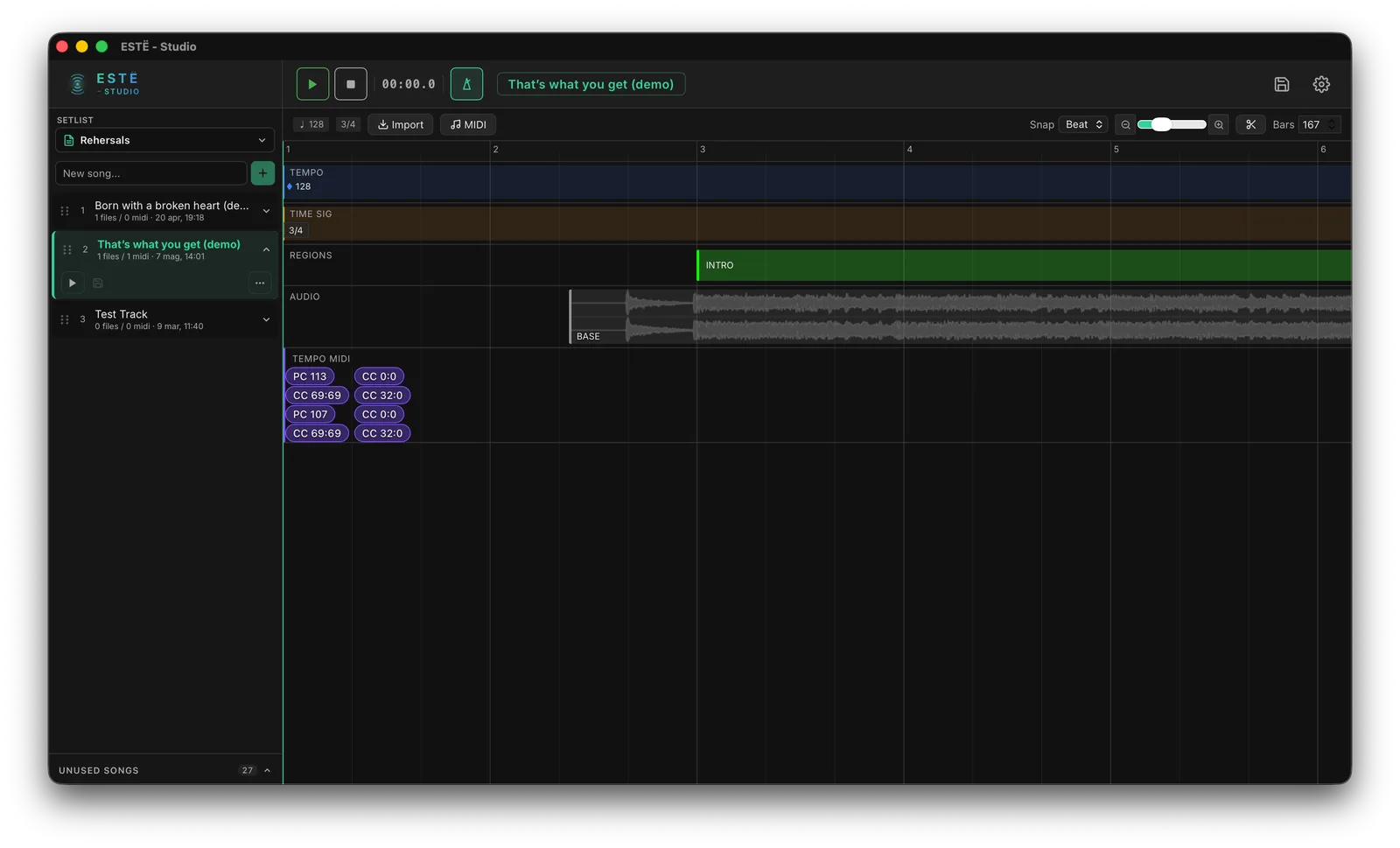
Timeline editor — audio clips, tempo map, song regions, and MIDI lanes
Everything ready before the show
A clean timeline for the parts of a song that aren't faders — tempo, structure, backing audio, and MIDI cues.
Audio Clips
Drop in WAV/MP3 backing tracks, see the waveform, then trim, offset, and split with the scissors tool. Non-destructive and sample-accurate.
MIDI Events
Place Program Change and Control Change events on the timeline to drive keyboards, effects units, and lighting rigs in sync with the song.
Tempo Maps
Set BPM and time signatures across the song, including changes mid-track. Drives the click and bar/beat display in ESTË - LIVE.
Song Regions
Lay out Intro, Verse, Chorus, and Bridge as colored regions. They appear in LIVE's timeline for tap-to-navigate during the show.
Preview Playback
Hear all your clips as a stereo mix with the click track, right inside STUDIO — scrub the timeline and check your arrangement before loading it into LIVE.
Songs & Setlists
Organize your prepared songs into setlists, shared with ESTË - LIVE through the same ~/ESTË/ folder. Prepare here, perform there.
Get ESTË - STUDIO
Free, no account required. Pairs with ESTË - LIVE through the shared song library.
ESTË - STUDIO BETA
Offline track preparation — timeline, audio, MIDI, tempo
Download STUDIO macOS (Apple Silicon) · FreeSystem Requirements
- macOS 12 (Monterey) or later
- Apple Silicon or Intel 64-bit
- Works entirely offline — no network needed
- Shares the
~/ESTË/library with ESTË - LIVE